
Local-first OSINT investigation workspace
SIERRA
Keep a live case understandable as it grows.
Keep OSINT evidence, notes, timelines, and tool results connected in one local case.
Free desktop app
Local .SRAS case files
Optional cloud execution
Free desktop app
Local .SRAS case files
Optional cloud execution
OSINT link analysis
Map evidence and relationships.
Capture
01 / 04
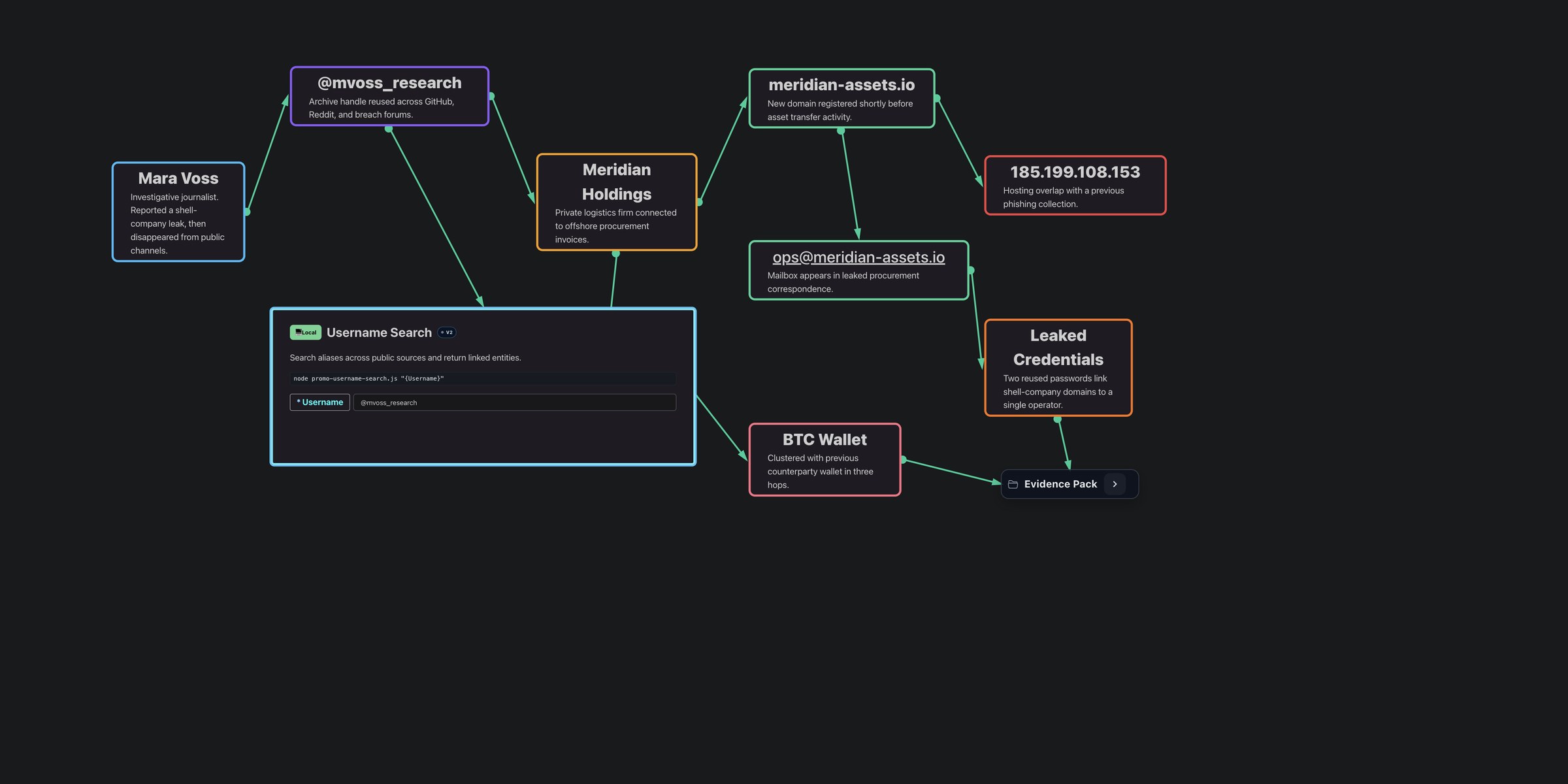
Begin with what you know.
Write a lead in Markdown. Connect entities, files, and notes as you investigate.
Investigate
02 / 04
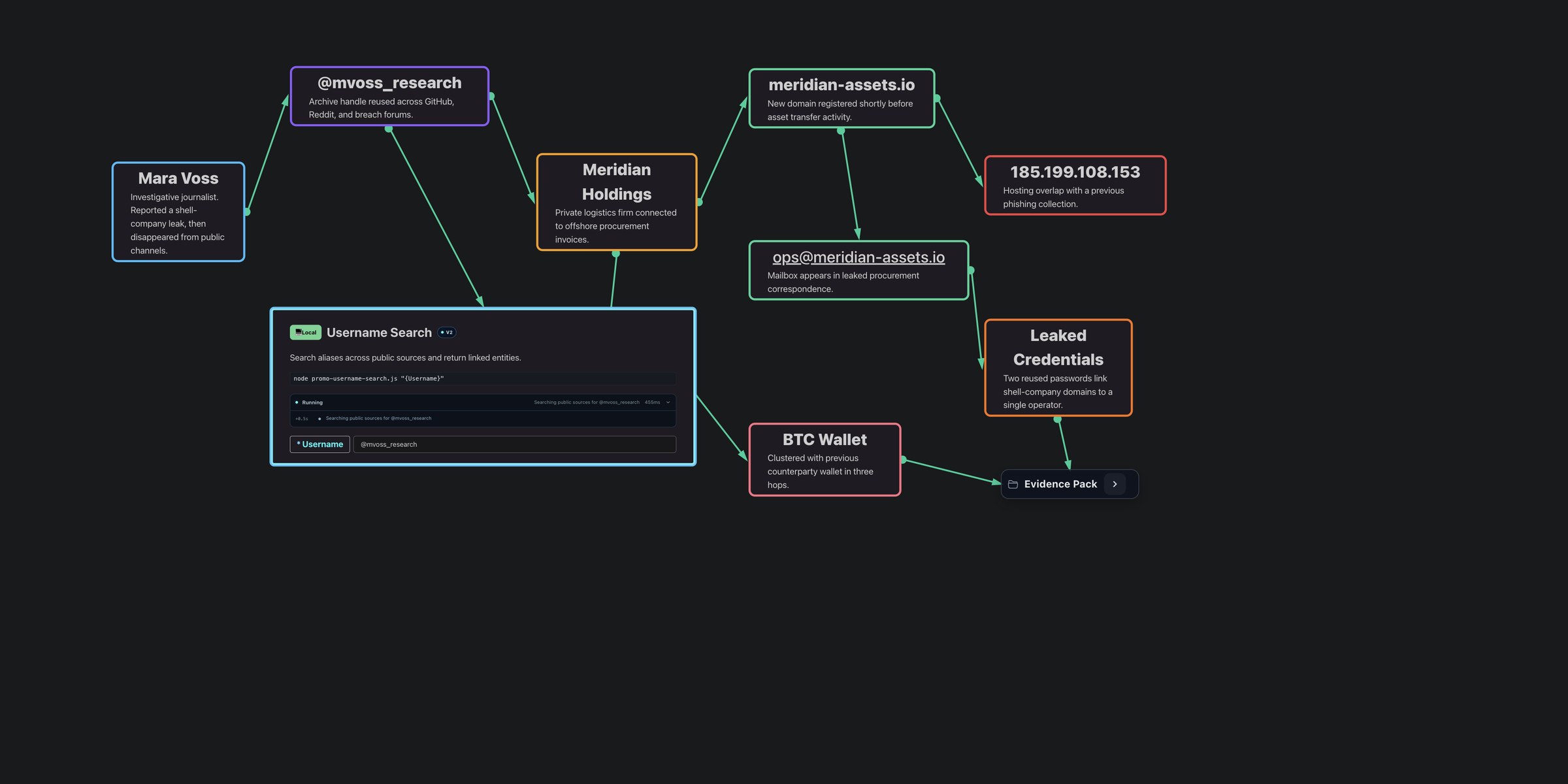
Run tools from the evidence.
Run a local or cloud tool from a node. Keep the question with its source.
Context
03 / 04
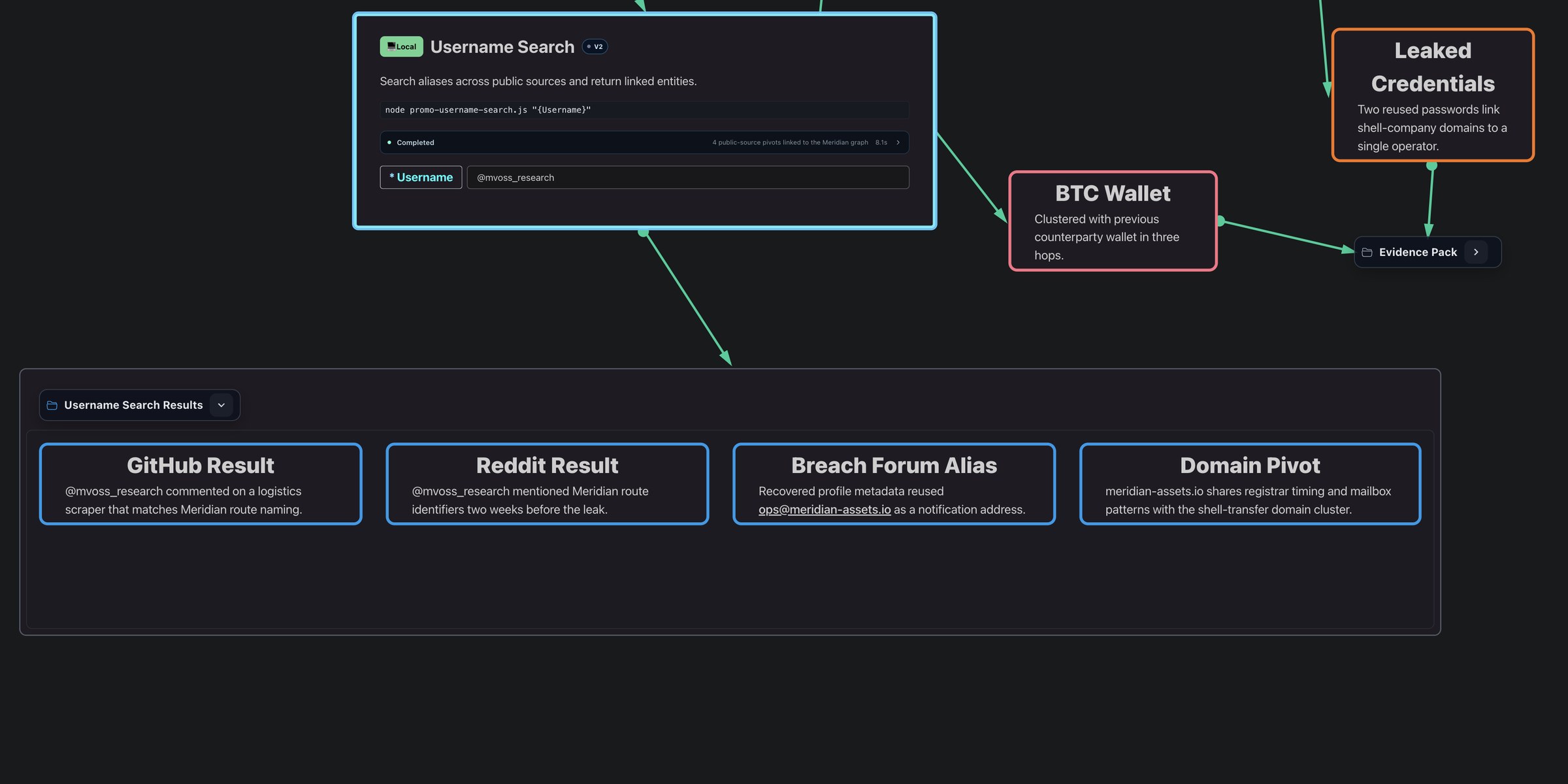
Results return to their source.
Review tool output beside the lead that produced it.
Assist
04 / 04
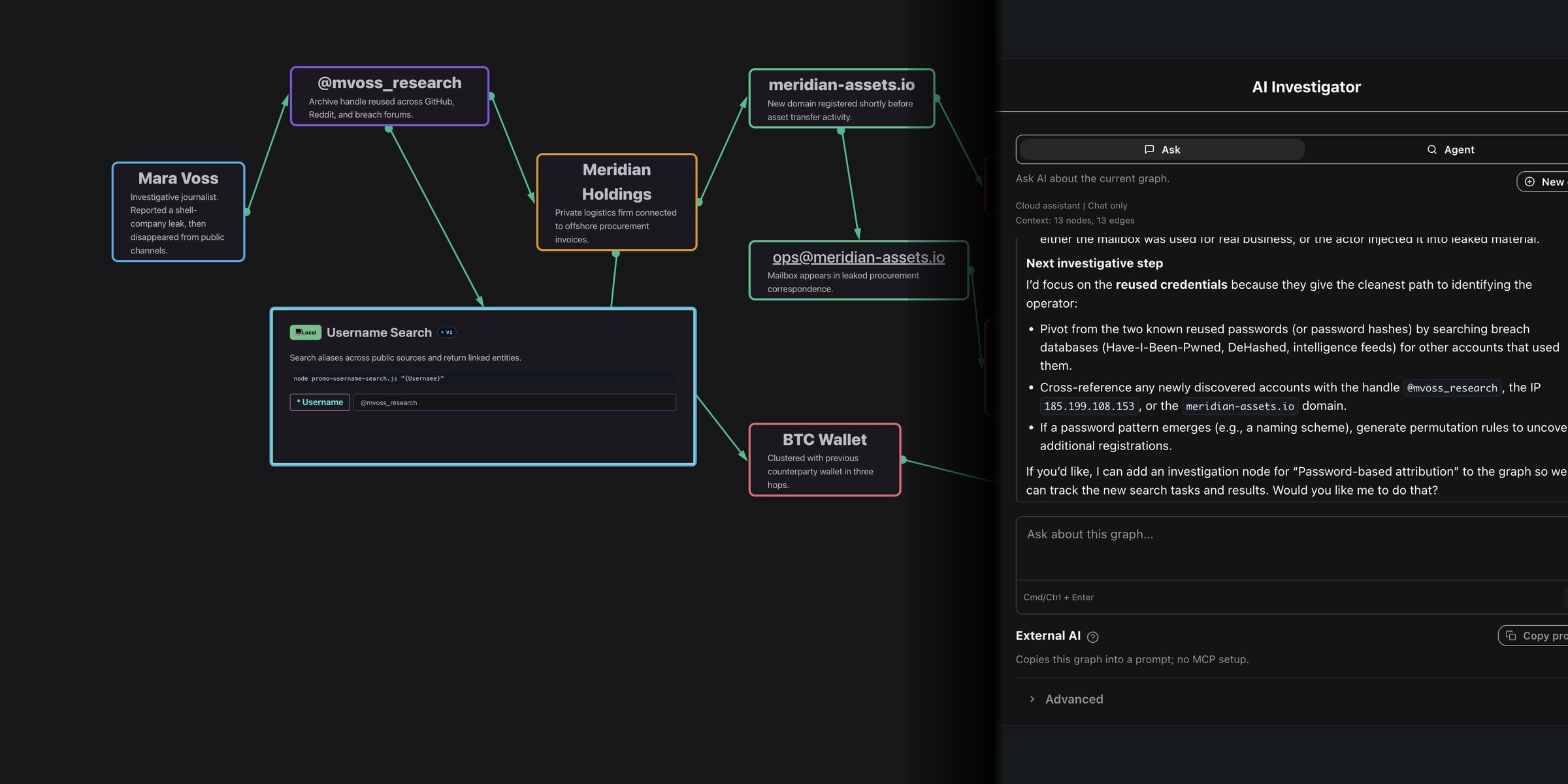
Ask with the live case attached.
Let an AI assistant read the active graph through MCP. Review its suggested next step.
Local first
Your working case stays yours.
The local workspace is free and requires no account. Choose when to connect external tools, AI assistants, or SIERRA Cloud.
- Case file
- Local by default
- Keep the graph, notes, files, and timeline in one .SRAS case file.
- Tools
- Execution is a choice
- Run tools locally. Choose SIERRA Cloud for remote execution.
- Assistants
- Context stays visible
- Let an AI assistant read the active graph through MCP.
- Handoff
- Share the case file
- Reopen the .SRAS file in SIERRA, or export the graph to Obsidian.
Meridian case
MERIDIAN.SRAS / LOCAL
Chronology
See how the case unfolded.
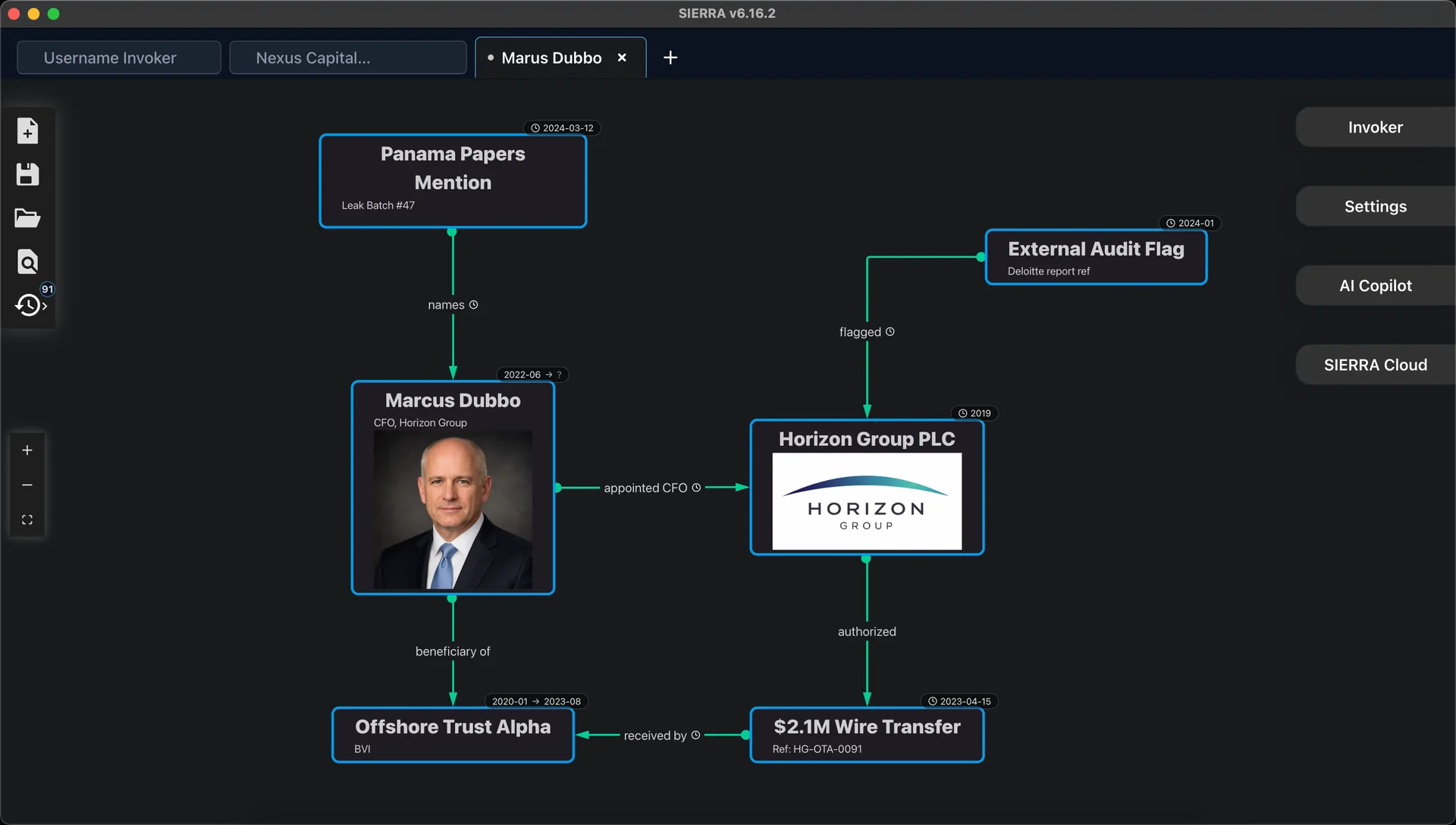
Add dates or ranges to entities and connections. Keep the timeline with the graph.
Built for live cases
Built for your investigation.
Follow new leads without losing the case context.
Responsible use
Lawful, authorized use only. Demos are fictional; users are responsible for permissions and compliance. Details.
OSINT and threat research
Map infrastructure, identities, sources, and pivots across a live investigation.
Fraud and due diligence
Keep counterparties, transactions, chronology, and supporting material connected.
Independent and legal investigations
Build a working case file that can be revisited, explained, and handed over.
Responsible use
Lawful, authorized use only. Demos are fictional; users are responsible for permissions and compliance. Details.
Before the live case
Start with Phantom Agent research.
Ask Phantom Agent a research question. Review its sources and open leads, then use SIERRA to check the findings and develop the case locally.
Start locally
Start with one live case.
SIERRA is free to use locally. Cloud execution is optional.