
SIERRA Invokers / Beginner Tutorial
Build your first Invoker
This tutorial is for people who do not want to learn the full Invoker schema first. You will copy two small files, load them into SIERRA, and run a working local tool from a graph node.
What an Invoker does
An Invoker is a bridge between the SIERRA graph and an outside tool. SIERRA sends text from a selected node to your script. Your script sends back structured results. SIERRA turns those results into new graph nodes.
01
Selected node
example.com
02
Python script
Builds follow-up checks
03
Graph results
WHOIS, DNS, and pivots
Step 1
Create one folder in Documents.
Step 2
Save one YAML file and one Python file.
Step 3
Point SIERRA at the YAML file.
Step 4
Select a graph node and run your new Invoker.
Step 01
Create a folder for this Invoker
In your Documents folder, create a folder named sierra-first-invoker.
Keep this exact folder name for the first run. The YAML below uses that location so you do not have to copy a long file path.
Step 02
Add the Python file
In the folder, create a file named first_domain_expander.py and paste this code into it.
python
1 2 3 4 5 6 7 8 9 10 11 12 13 14 15 16 17 18 19 20 21 22 23 24import json import re import sys domain = " ".join(sys.argv[1:]).strip() domain = re.sub(r"^https?://", "", domain).split("/")[0].lower() if not domain: print(json.dumps({ "type": "Error", "message": "No domain was sent to the invoker." })) raise SystemExit(0) print(json.dumps({ "type": "Tree", "results": [ f"# First Domain Result\n{domain}", f"WHOIS record for {domain}", f"DNS records for {domain}", f"Subdomains of {domain}", f"# Example pivots\nwww.{domain}\nmail.{domain}" ] }))
Step 03
Add the YAML file SIERRA will load
In the same folder, create a file named invoker.yaml and paste this configuration into it.
yaml
1 2 3 4 5 6 7 8 9 10SCRIPTS: - Name: First Domain Expander Description: Expands a domain into simple follow-up investigation nodes. Params: - Name: Domain Description: Domain or hostname from the selected SIERRA node Type: STRING Options: - MANDATORY Command: cd "$HOME/Documents/sierra-first-invoker" && python3 first_domain_expander.py "{Domain}"
The command first moves into $HOME/Documents/sierra-first-invoker, then runs the Python file. If you put the folder somewhere else, change only that path.
Step 04
Optional: test it before opening SIERRA
If you are comfortable opening Terminal, run these two lines. This confirms Python can run the script before SIERRA uses it.
bash
1 2cd "$HOME/Documents/sierra-first-invoker" python3 first_domain_expander.py "example.com"
You should see JSON that looks like this.
json
1 2 3 4 5 6 7 8 9 10{ "type": "Tree", "results": [ "# First Domain Result\nexample.com", "WHOIS record for example.com", "DNS records for example.com", "Subdomains of example.com", "# Example pivots\nwww.example.com\nmail.example.com" ] }
Step 05
Load the YAML file in SIERRA
Open SIERRA, switch to the Invoker panel, click Select Invoker Config, and choose the invoker.yaml file you just created.
After loading it, SIERRA should show an Invoker named First Domain Expander.
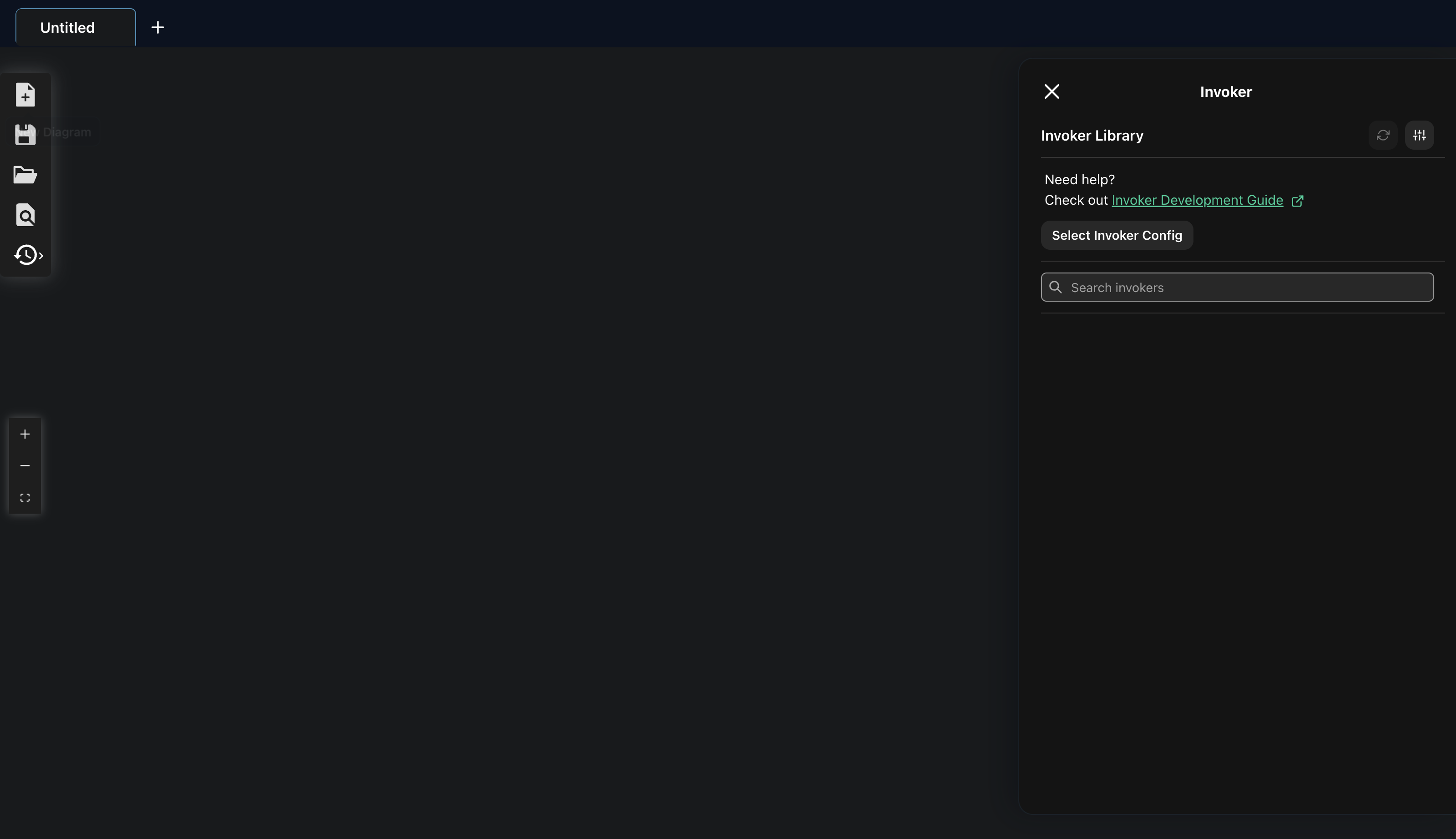
Open the Invoker panel and choose Select Invoker Config.
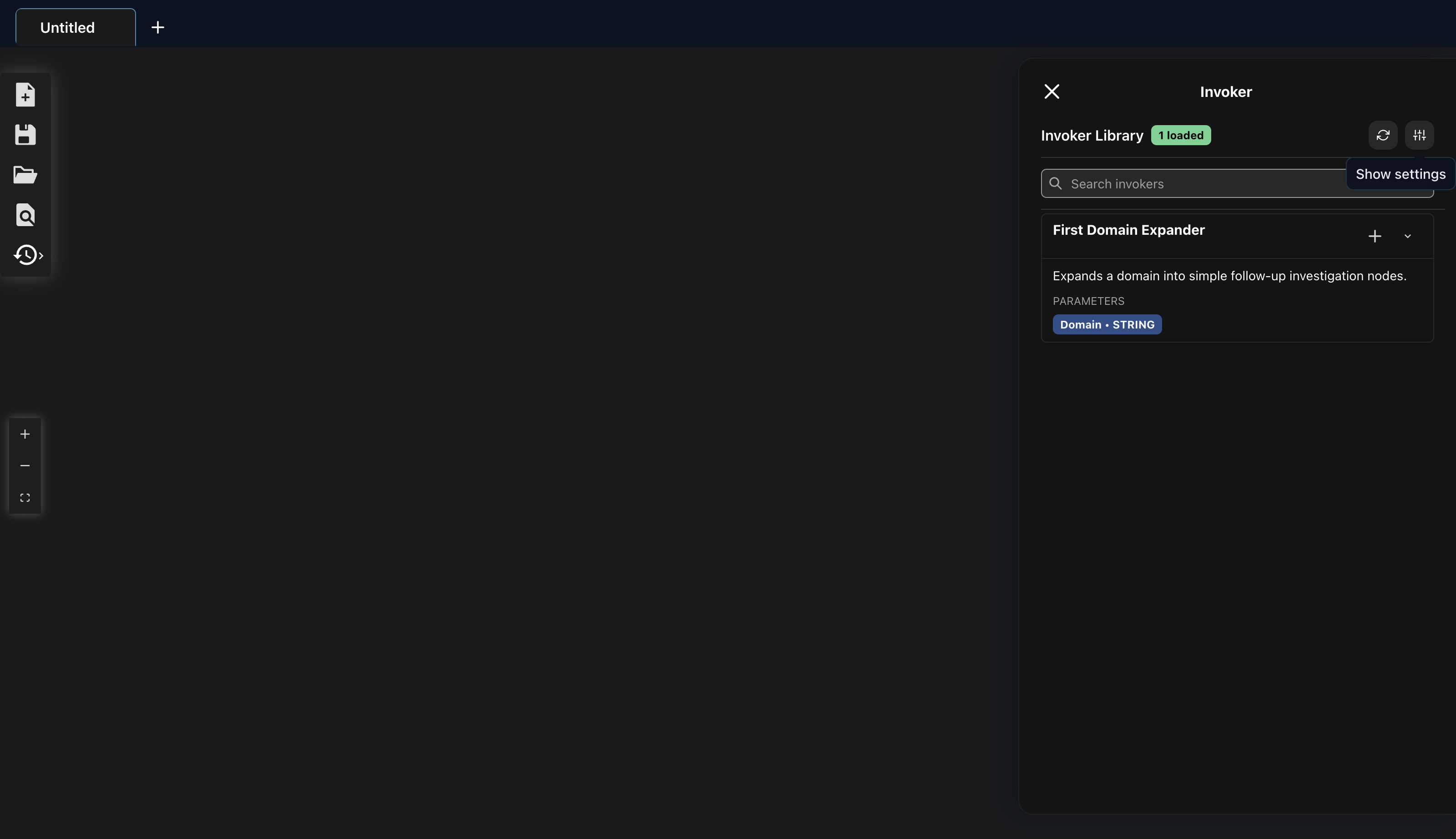
After loading invoker.yaml, First Domain Expander appears in the library.
Step 06
Run it from a graph node
Create a graph node that says example.com. Right-click that node, open Suggested Invokers, and choose Run via First Domain Expander.
The suggestion appears because the node contains a domain and the Invoker parameter is named Domain.
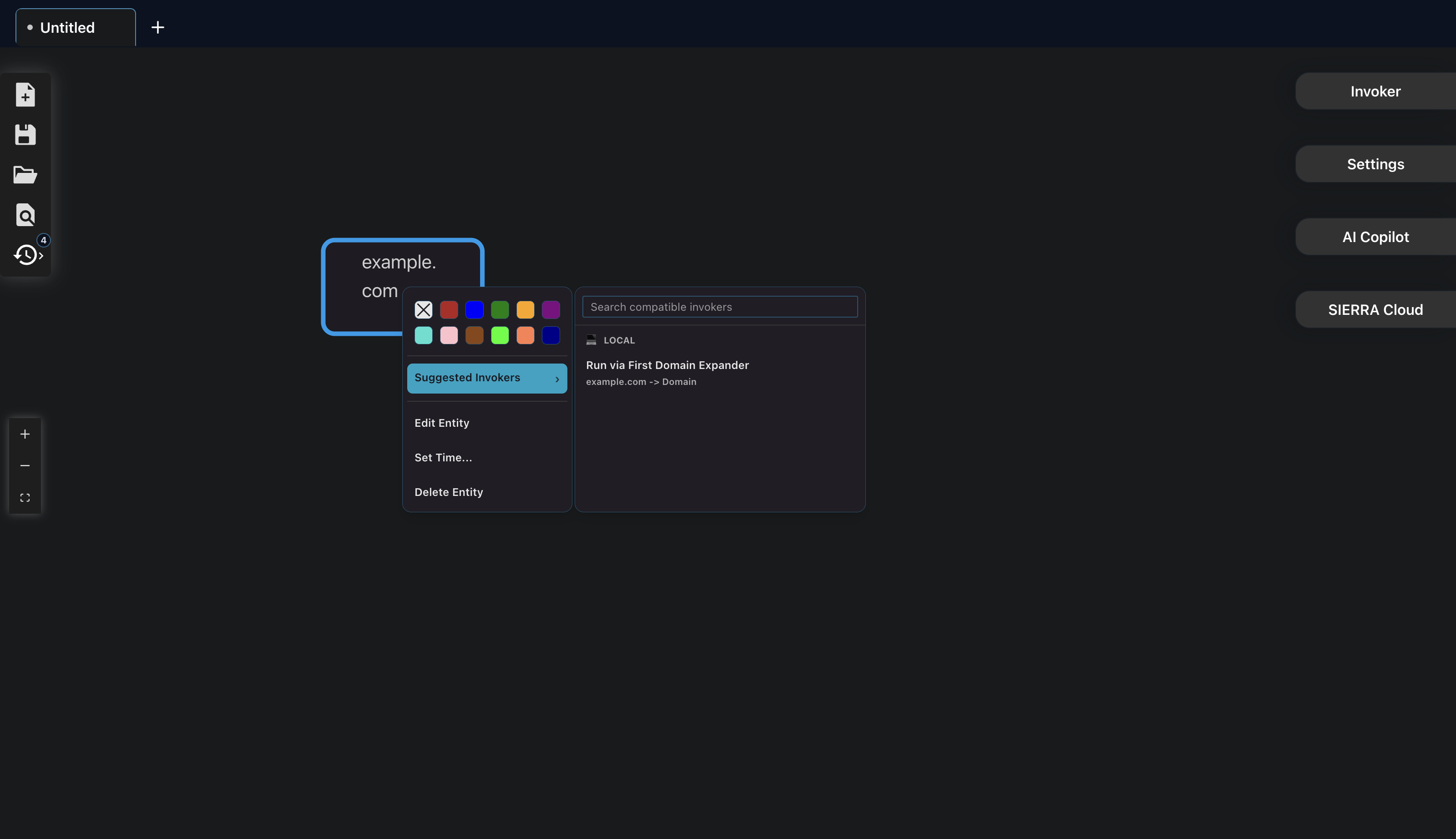
Right-click the domain node and run the suggested Invoker.
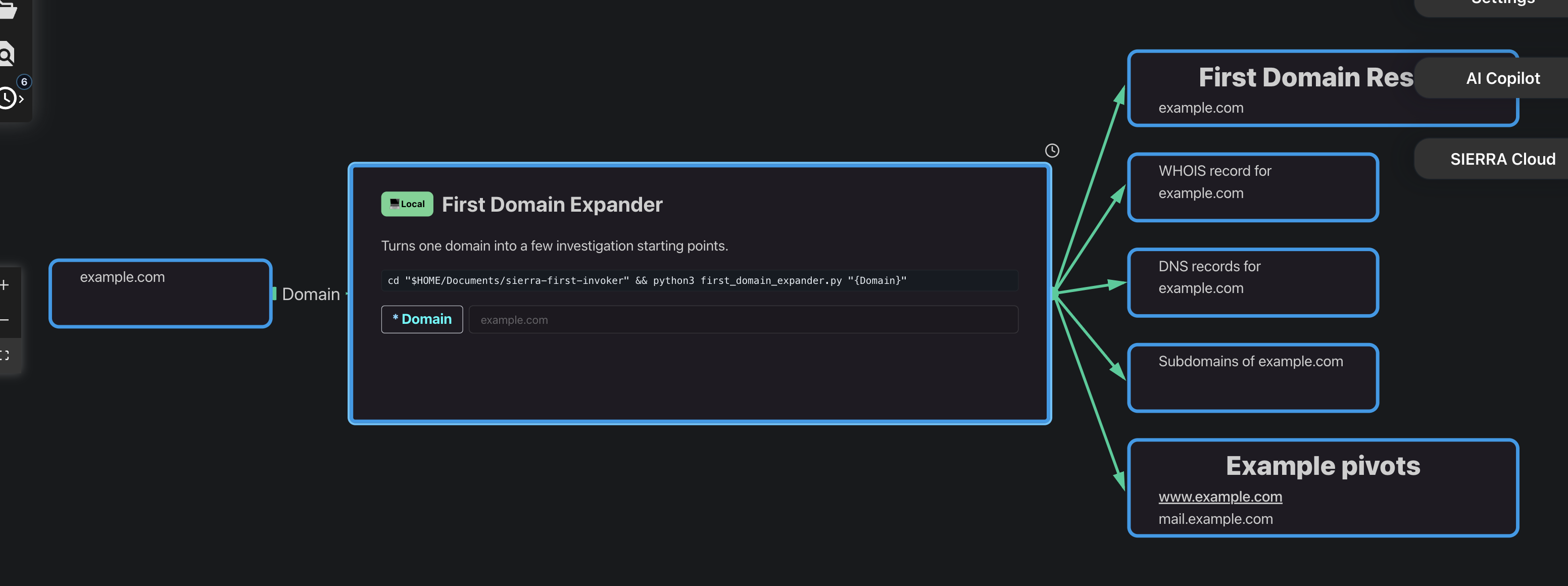
SIERRA creates new graph nodes from the JSON returned by Python.
Success Check
A successful Invoker creates graph output
The exact layout depends on your graph, but the important sign is that SIERRA receives a structured result and turns it into nodes instead of leaving the output as plain text.
Captured from a real SIERRA run of this tutorial.
Common problems
After this works, use the full guide
This page intentionally avoids advanced topics. The full guide covers image inputs, streaming output, network-shaped results, approval prompts, and the LLM authoring prompt.
Phantom Helix
In silence, patterns emerge.
Investigation tools for professional teams that need to keep the sources, reasoning, and next steps together.
© 2026 Phantom Helix · Operated by Danny Jian · ABN 52 512 969 796
Built in Melbourne for professional investigation work.